On your device
Speech recognition and text post-processing can run locally. A cloud service is not required.
Speak as you think. Consierge turns it into the right words, right where you write. With local AI and you in control.
“Hey, please say I'll be ten minutes late.”
I'll be about ten minutes late. Thanks for waiting!

One assistant. Four platforms in view.
AndroidBeta in preparationWindowsComing soonmacOSComing sooniOSComing soonThe quick message. The important email. The reply you can't quite put into words.
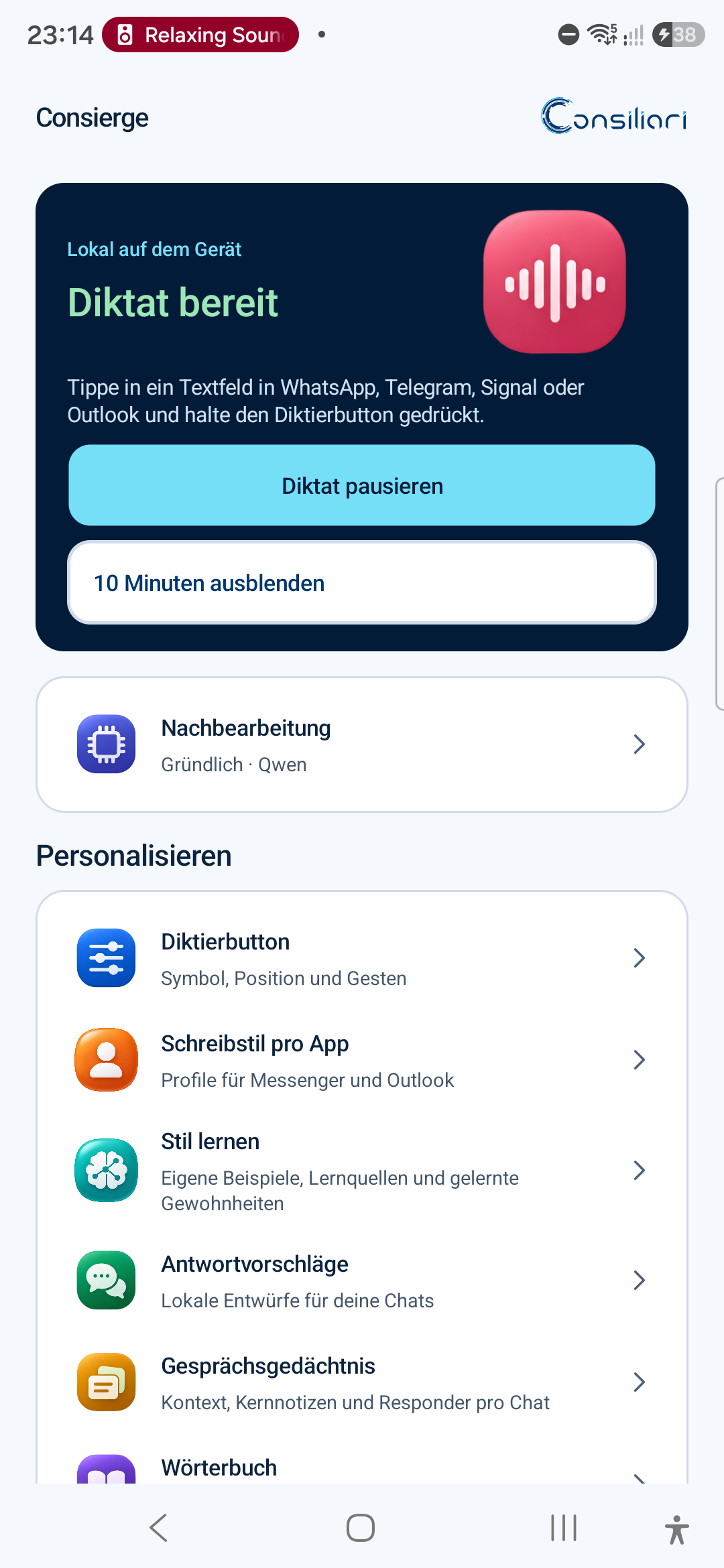
Tap or hold, speak and finish. Your dictation goes into the active text field of an enabled app.
See how it works →Casual in a chat, clear in an email. Writing styles and app profiles give your words the right setting.
Explore writing styles →Choose a message and add a short instruction if you like. Consierge prepares a suggested reply.
See reply assistance →No detour through another editor. Consierge joins you in supported fields of apps you choose to enable.
Your thought, naturally.
Recognise. Put into words.
You review and send.
Functionality depends on the app, field and permissions. Outlook: dictation in subject and message. Reply context: supported messengers.
From your first dictation to conversation context you explicitly choose: meet Consierge through real screens from the Android prototype.
Speak your thoughts. Consierge recognises speech locally on your device. Choose the style for your app. An explicitly selected message becomes a draft reply. Optional conversation memory and style learning are enabled separately and can be deleted selectively. You review the text and send it yourself. The open Android beta is being prepared; other platforms and server connections are planned.
Hold the dictation button or tap to start. The waveform shows your recording. Finish to insert the text; use the X to discard the recording along the way.
“Hello Ms Berger, I'll send you the proposal this afternoon. New paragraph. Best regards, Alex.”
Hello Ms Berger,
I'll send you the proposal this afternoon.
Best regards
Alex
Choose from six styles and assign them to your apps. Your words and text snippets stay close at hand. If you wish, Consierge learns from examples you explicitly enable on your device.
Style learning is optional. You can delete individual habits, app contexts and profiles.
Explore styles and profiles →“hey can't make it today let's talk tomorrow”
Unfortunately, I can't make it today. Could we reschedule our conversation for tomorrow?
Explicitly select a message and prepare a local suggestion. Add a quick spoken instruction about what matters to you. Set tone options globally or per messenger.
You see the draft, change it if needed and explicitly insert it. Consierge never sends a message on its own.
Explore suggested replies →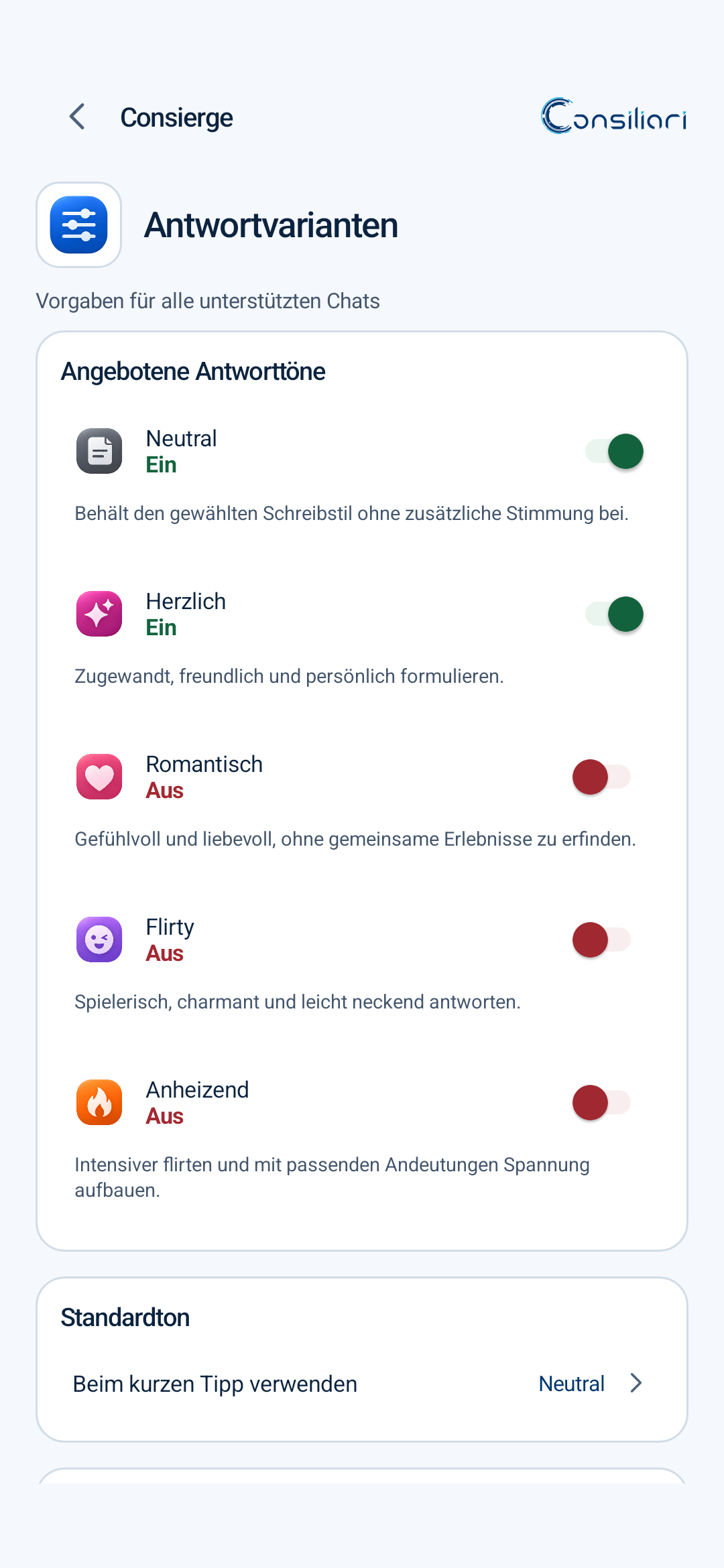
Optional conversation context helps with later draft replies. You choose the profile, review summaries and confirm important key notes yourself.
Short-term context, summaries and key notes can be deleted separately. Storage is limited and encrypted.
More about your data controls →Separate from style learning and dictation history.
Local processing is the starting point. Extra context is only added when you explicitly enable it.
Speech recognition and text post-processing can run locally. A cloud service is not required.
Style learning, dictation history and conversation memory have separate controls.
Remove individual entries, specific contexts or whole profiles. You decide what stays.
Consierge is designed to grow with your needs: more powerful models on your LAN through Ollama, company AI and your own providers through LiteLLM.
In development / planned. Android connectivity, server discovery, model selection and fallbacks have not yet been verified end to end.
Explore what comes next →ConsiergeLocal firstSay it your way.The open Android beta is being prepared for you.
Get the open beta ↗Windows, macOS and iOS: Coming soon.